Optimization
Page Optimization
The moment of truth: ask the AI engines your tracked questions for real, and see whether a specific page of yours gets cited — then fix the technical reasons it might not be.
Running a page test
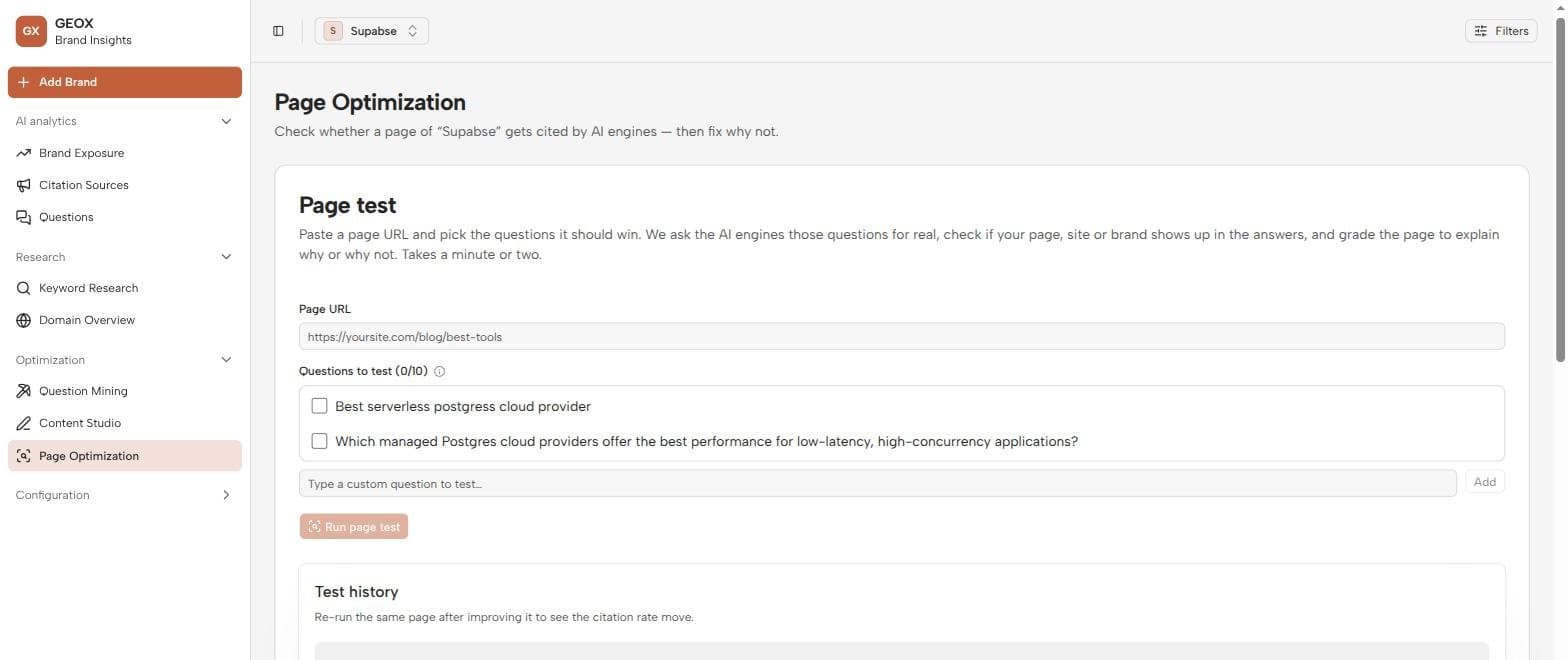
- 1
Point at a page
On Page Optimization (sidebar → Optimization), enter the page URL you want to evaluate — a landing page, a comparison article, a doc.
- 2
Pick the questions
Choose up to 10 tracked questions the page should be winning, or add custom prompts for this test only.
- 3
Run it and read the verdict
Run page test queries the engines live. You get an overall citation rate and a per-answer breakdown of how far your page got:
| Outcome | Meaning |
|---|---|
| Page URL cited | The engine cited your exact page — the goal. |
| Domain cited | It cited your site, but a different page. |
| Brand mentioned | You were named, but nothing of yours was cited. |
| Missed | Neither cited nor mentioned — plus which competitors got named instead. |
Each test also includes a GEO-score diagnosis of the page, so a miss comes with reasons and fixes rather than a shrug. Past tests live in the test history table; an Improve this page action pushes the result straight into Tasks.
Page tests never touch your analytics
Test answers are stored separately from collection runs — experiment as much as you like without skewing your dashboards.
Technical setup tools
Below the tester sit four tools for the technical layer of GEO — copy-paste fixes, no dev project needed:
- Structured data (JSON-LD) — pick a schema.org type (FAQ, Article, Organization…), point it at a URL or paste text, and get a ready <script> tag to paste into the page’s head.
- llms.txt — generate the emerging standard file that tells AI crawlers what your site is and which pages matter; serve it at /llms.txt.
- Crawler access check — verifies your robots.txt isn’t blocking AI crawlers (GPTBot, ClaudeBot, and friends). A blocked crawler silently caps everything else you do here.
- Metadata audit — checks any URL’s title, description, and metadata hygiene, with concrete fixes.
The publish → test loop
Page Optimization is the feedback step of the optimization loop: publish a draft from Content Studio, run a page test, apply the diagnosis, re-test. When the citation rate moves, you’ve earned it — and your scheduled collections will show the same lift in Brand Exposure over the following weeks.