Optimization
Content Studio & GEO score
Content that AI engines quote is written differently: direct answers up top, short factual sentences, clean structure. Content Studio produces it — and grades every draft 0–100.
Two modes
Content Studio (sidebar → Optimization) has a toggle at the top:
- Generate a draft — pick a tracked question as the target, optionally add custom instructions, and get a publish-ready article written to answer it quotably.
- Optimize existing content — paste the copy of a page you already have (optionally tied to a question) and get it rewritten to be citable. Your facts are kept, never invented — claims come from your input and the brand knowledge base.
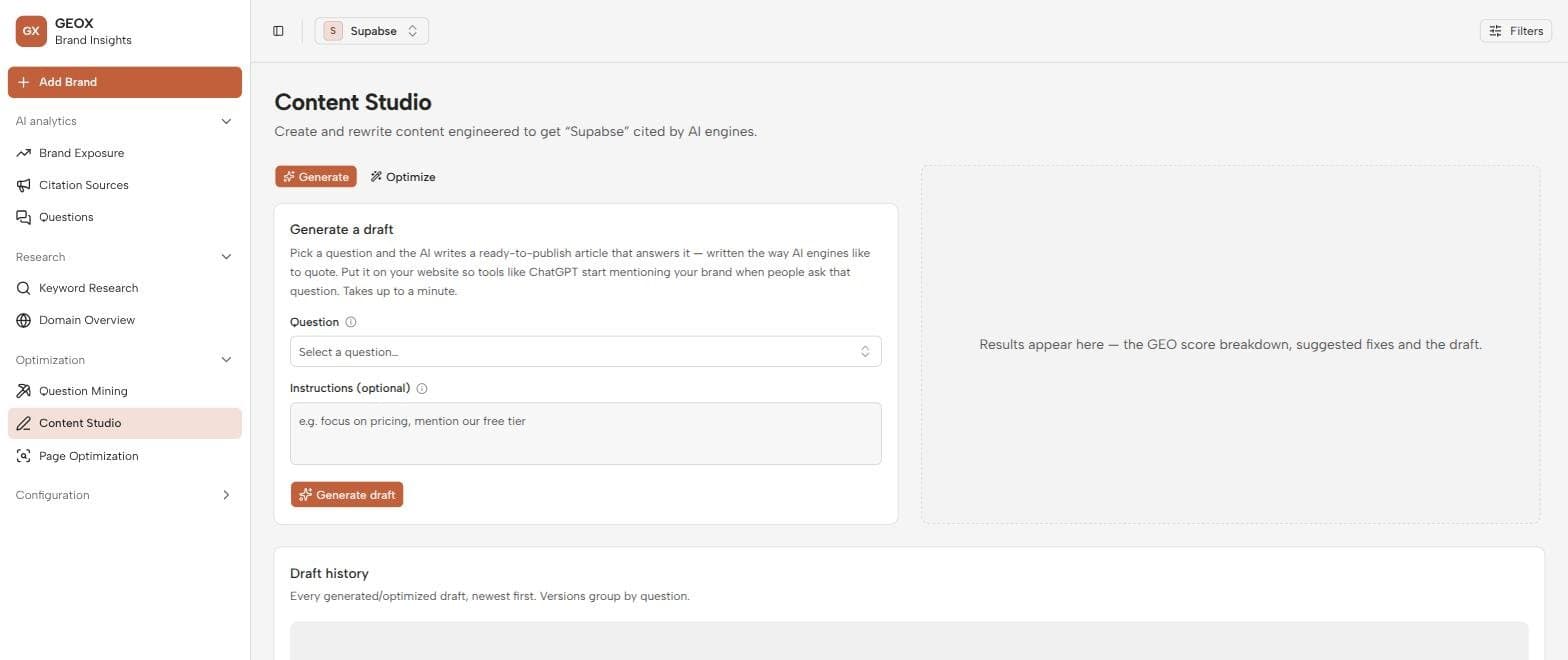
The GEO score
Every draft is graded 0–100 on how likely AI engines are to cite it. Five signals are measured from the text itself, two are judged by an AI auditor:
- Measured: a direct answer near the top, short sentences, concrete factual density, clean structure (headings and lists), and schema readiness.
- AI-judged: entity coverage (does it name the things an expert would?) and authority signals.
The score always comes with a ranked list of concrete fixes — work them top-down, regrade, repeat. Chasing 100 is rarely worth it; getting from 40 to 75 usually is.
A typical session
- 1
Pick a target
Choose a question you’re losing — the competitor-gap matrix on Brand Exposure and the Task column in Question Mining both deep-link here with the target pre-selected.
- 2
Generate and iterate
Generate a draft, read the GEO score’s fix list, apply the top fixes or regenerate with instructions.
- 3
Publish
Copy the draft to your clipboard and publish it on your site. Drafts are versioned per question in the draft history below the workbench, so you can compare and restore iterations.
- 4
Close the loop
Add a publish task to Tasks, and once the page is live, run it through Page Optimization to see whether the engines actually cite it.
Feed the knowledge base first
Generated content is grounded in the brand knowledge base (Settings → Brand knowledge). The more canonical facts you put there — pricing, features, integrations, positioning — the more specific and truthful every draft becomes.